


Baby Phone & Kids Games
4.326.00 Reviews
App Specs
- Version
- 1.2.5
- Updated On
- License
- Free
- Downloads
- 5,000,000+
- Developer
- RV AppStudios
- Categories
- Educational
- Platform
- Android
Screenshots

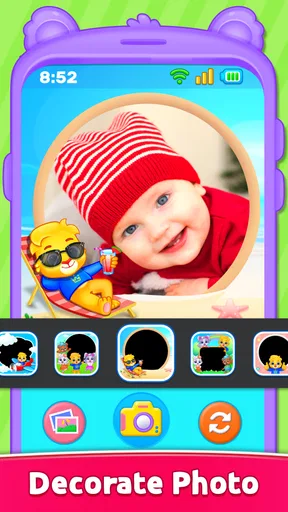
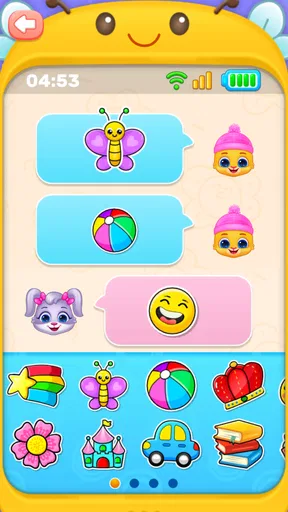
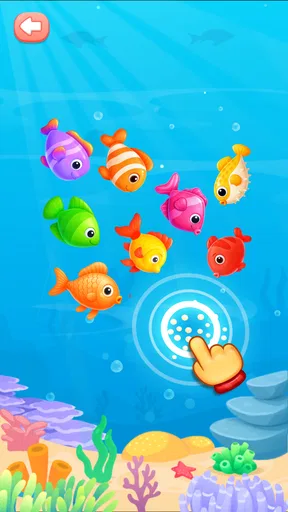
 Analysis by AppCompare
I judge toddler apps less by how many activities they advertise and more by whether a child can explore without needing an adult to explain every tap. Baby Phone & Kids Games is built around that simple idea: it turns familiar phone-style play into a gentle starting point for sounds, numbers, letters, and music. I see its strongest use as a short, shared activity for a curious young child, not as a substitute for toys, conversation, or outdoor play.
It is a free educational game from RV AppStudios, with an Everyone age rating. The current version is 1.1.8, and it has been available since July 1, 2025. Those details make it easy to identify the current release, but they do not tell me how a child will respond: the important question for a parent is whether the activities suit their child’s age, attention span, and way of learning.
How the phone-style play works in everyday use
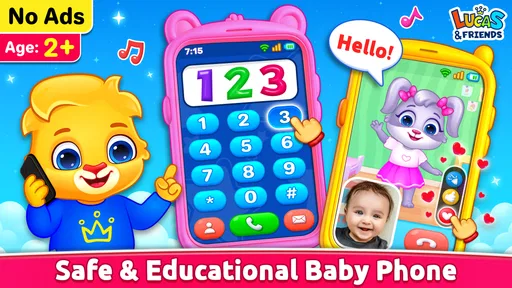
The central appeal is the familiar pretend-phone setup. A toddler already interested in copying adults can tap a dial, explore numbers, and hear sounds, while the app gives that imitation a playful learning angle. Rather than asking a young child to follow a long lesson, it lets them try an action and notice what happens. That makes it easier to use in brief bursts, especially when an adult is nearby to name what the child is hearing.
I would treat the phone play as a prompt for interaction rather than a stand-alone teaching method. If a child taps a number, I might say it aloud and invite them to find the same number on a paper card or toy. If an animal sound gets a laugh, we can guess the animal together before tapping again. These small exchanges are where a simple digital activity can become useful practice in listening, turn-taking, and connecting a sound with an idea.
First impressions and interface
When I first opened Baby Phone & Kids Games, I was greeted with a splash of vibrant colors and friendly animations. The interface is designed with little fingers in mind—big, bold buttons and intuitive navigation make it super easy for kids to explore. They don't need to be tech whizzes to figure out how to move from one game to another, which is a relief for us parents.
The app’s design is a breath of fresh air—simple yet engaging. It’s clear that a lot of thought went into making it visually appealing without overwhelming the senses. And let's be honest, in a sea of apps that often try to do too much, this simplicity is much appreciated.
A treasure trove of mini-games
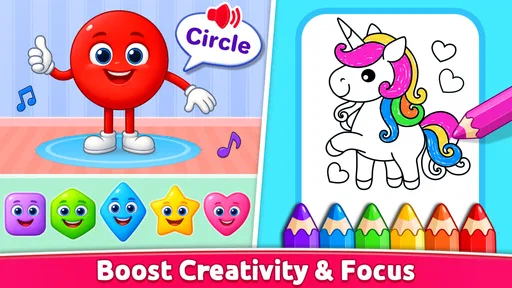
Now, onto the main attraction: the games! This app is packed with a variety of mini-games aimed at different aspects of early learning. From teaching numbers and shapes to animal sounds and musical tunes, there’s plenty here to capture a child’s imagination.
Worth Reading Before You Choose

EA SPORTS FC Mobile 26 Is a Bigger Football Game, but It Takes Time

Flipboard Shows What News Apps Must Do Beyond the Feed

Switching to Android Auto Means Rethinking Your Driving Routine

Google Calendar Makes a Crowded Week Easier to Manage

Ludo King Makes the Most of the Minutes Between Plans

Baby Panda World Brings Quick Play to Modern Phones, but Its Game Library Feels Busy
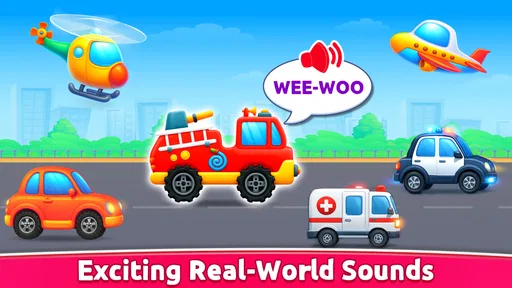
My little one particularly enjoyed the animal sound game, where tapping on a virtual phone dial plays a corresponding animal noise. It quickly became a fun way for them to learn about different animals and their sounds, all while giggling at the silly noises.
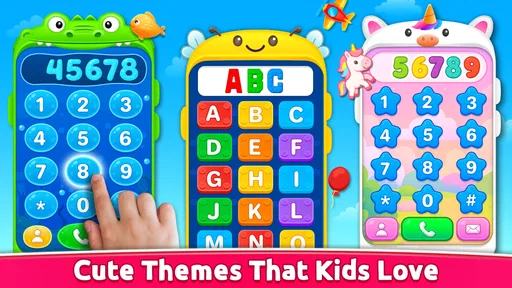
- Interactive phone dial: Kids can pretend to make calls, learning numbers and sounds.
- Musical fun: A mini piano encourages musical exploration with colorful keys.
- Animal sounds: Tap the animals to hear what they say, perfect for young explorers.
These games are not only entertaining but also educational, promoting essential skills like hand-eye coordination, memory, and cognitive development. It’s a win-win for both parents and kids!
Making a short play session count
A useful way to approach the activities is to let the child lead for a moment, then add one small challenge. For example, after they have freely tapped the phone dial, ask them to find a particular number, or make a sound and see whether they can identify its source. If the task stops being fun, I would return to open-ended play instead of turning the app into a test. The point is to keep curiosity in front of performance.
That approach also helps with children at different stages. A younger toddler may simply enjoy the colors and cause-and-effect of tapping, while an older preschooler may be ready to name animals, copy a rhythm, or recognize a letter. The same activity can therefore be used in different ways, but it should not be mistaken for a structured course with a guaranteed learning sequence. An adult’s brief comments and questions make the difference.
For a realistic everyday moment, imagine waiting at a clinic or sitting through a quiet stretch before dinner. I would open the game for a short turn, let the child choose between the sounds and the pretend call activity, then put the phone away and continue the conversation in the room: “Which animal did you hear?” or “Can you tap that number on this card?” This keeps the screen session bounded and gives the child a chance to carry the idea into real life.
Parental control and safety
One of my top concerns with kids’ apps is safety, and I’m happy to report that the app has got us covered. The app includes a solid parental control section, allowing you to adjust settings and limit screen time. No accidental in-app purchases here—phew!
Moreover, the app doesn’t require internet access for most of its features, which means your kids can play safely without unexpected ads popping up. This offline capability is a huge plus, especially during travel or when you’re trying to limit internet exposure.
I still recommend that a parent explore the controls before handing over a device. A toddler may tap unpredictably, and knowing where the settings are makes it easier to keep the session focused. Offline use is especially practical for a car ride or a waiting room with unreliable connectivity, but it is sensible to check that the activities you plan to use are available before leaving home. For very young children, supervised use remains the better choice even when the app is designed for them.
There is also a trade-off in using a pretend phone as the learning frame. It can make numbers and sounds immediately inviting to a child who likes copying adults, but it may reinforce the idea that a phone is always a toy if it becomes the default way to settle boredom. I would keep it as one option among books, blocks, songs, and simple real-world games, rather than making it the automatic response whenever a child is restless.
How it compares with familiar alternatives
Compared with a single-purpose alphabet or number app, this game offers a broader mix of sound-based exploration and pretend play. That variety can help when a child quickly loses interest in repeating one kind of exercise. On the other hand, a focused phonics app, a counting game with a clear progression, or a physical picture book may be a better fit when the adult’s goal is specific practice rather than casual discovery.
It also differs from a passive video: the child has to tap and listen for a response, so there is an opportunity to connect an action with an outcome. That does not make every screen interaction educational by itself. The value depends on what the child is doing and whether a caregiver can turn a funny sound or a number into a little exchange. If you want a quiet activity that requires no device at all, songs, household objects, and a board book are stronger choices.
Performance and compatibility
The app runs smoothly on both Android and iOS devices, which is great news if you’re juggling different gadgets at home. I didn’t encounter any bugs or crashes during my testing, and it didn’t hog too much space on my phone either. It’s lightweight enough to run on older devices without a hitch.
Installation was a breeze, and setting it up took just a couple of minutes. It’s clear that the developers put a lot of effort into making it user-friendly for both parents and kids.
On Android, the minimum operating system requirement is version 6.0, so it can suit some older devices while still leaving compatibility dependent on the phone or tablet in front of you. The game has an average rating of 4.2 from around 3,500 ratings, and more than 5 million installs. I take that as a sign that many families have tried it, not as a guarantee that every child will enjoy the same activities or that it will match every parent’s screen-time preferences.
Where it may not be the right fit
This is likely to suit caregivers looking for an easy-to-start activity for babies and toddlers who enjoy tapping, sounds, and imitation. It is less suitable if you want a carefully sequenced curriculum, detailed progress tracking, or a deep challenge for an older child. The playful format is its strength, but it also means a child can move between activities without necessarily practicing one skill for long.
Parents who prefer to avoid screens altogether may reasonably skip it, and families looking for a single skill in depth may get more from a dedicated learning tool or an offline activity. Likewise, if a child tends to become upset when a device is put away, it is worth setting a clear stopping point before opening the game. A timer or a simple “one more turn, then we’re done” routine can make the transition less abrupt.
What the current release tells me
The release date and version number give a clear snapshot of the edition available now, but a version label alone does not explain which activities have changed over time. I would avoid assuming that a newer number means a particular new feature or a redesigned lesson. For someone already using the game, the practical test is whether it continues to open reliably on their device and whether the child still finds its activities engaging.
For a new user, the version is most useful as a compatibility clue alongside the minimum Android requirement, rather than as a reason to expect a specific learning outcome. I would check the installed edition after setup and let the child try a few different activity types before deciding whether it deserves a regular place in the family’s routine. If it holds their attention only briefly, that can still be a useful result: not every toddler activity needs to occupy a long stretch.
What I would watch for as a parent is whether the game remains easy for the child to navigate, whether the controls fit your family’s boundaries, and whether the play encourages conversation instead of replacing it. Those are more meaningful signs of a good fit than simply counting how many times a child opens it. The best use is a small, intentional session that ends while the child is still having fun.
Final thoughts
So, what’s the verdict on Baby Phone & Kids Games? I’d say it’s a delightful addition to any parent’s digital toolkit. It’s engaging, educational, and most importantly, safe for our little ones. While it might not replace traditional playtime, it certainly offers a handy option for those moments when you need a little digital distraction.
If you’re looking for a fun and educational app to entertain your kids, give this one a try. You might find yourself tapping along to the tunes or giggling at the silly animal sounds right alongside them. Happy playing!
Pros
- Engaging and colorful interface.
- Simple controls for young users.
- Wide variety of mini-games.
- Enhances cognitive skills.
- Supports multiple languages.
Cons
- Ads can interrupt gameplay.
- In-app purchases may be costly.
- Requires constant internet connection.
- Limited parental controls.
- Some games are repetitive.
FAQs for Baby Phone & Kids Games
What age group is Baby Phone & Kids Games suitable for?
Baby Phone & Kids Games is designed for toddlers and young children, typically ranging from 1 to 5 years old. The app focuses on early development skills such as color and shape recognition, basic numbers, and animal sounds, making it an ideal educational tool for early learning experiences.
Does the app require an internet connection to function?
No, Baby Phone & Kids Games does not require an internet connection for most of its features. This makes it a great option for on-the-go entertainment, allowing your child to engage with the app even in areas with limited or no connectivity.
Is Baby Phone & Kids Games safe for my child to use?
Yes, Baby Phone & Kids Games is designed with child safety in mind. The app contains no harmful content and is free from ads that could redirect to external sites. It also includes parental controls to ensure a safe and controlled environment for your child.
Are there in-app purchases within Baby Phone & Kids Games?
The app may offer in-app purchases to unlock additional content or features. However, these are completely optional, and the app includes parental controls to prevent unauthorized purchases, ensuring that your child can enjoy the basic version without any extra costs.
What educational benefits does Baby Phone & Kids Games offer?
Baby Phone & Kids Games provides several educational benefits, such as improving fine motor skills, enhancing auditory and visual perception, and promoting cognitive development. Through interactive play and engaging animations, the app helps young children learn important concepts in a fun and interactive way.


